What is Gacha Message?
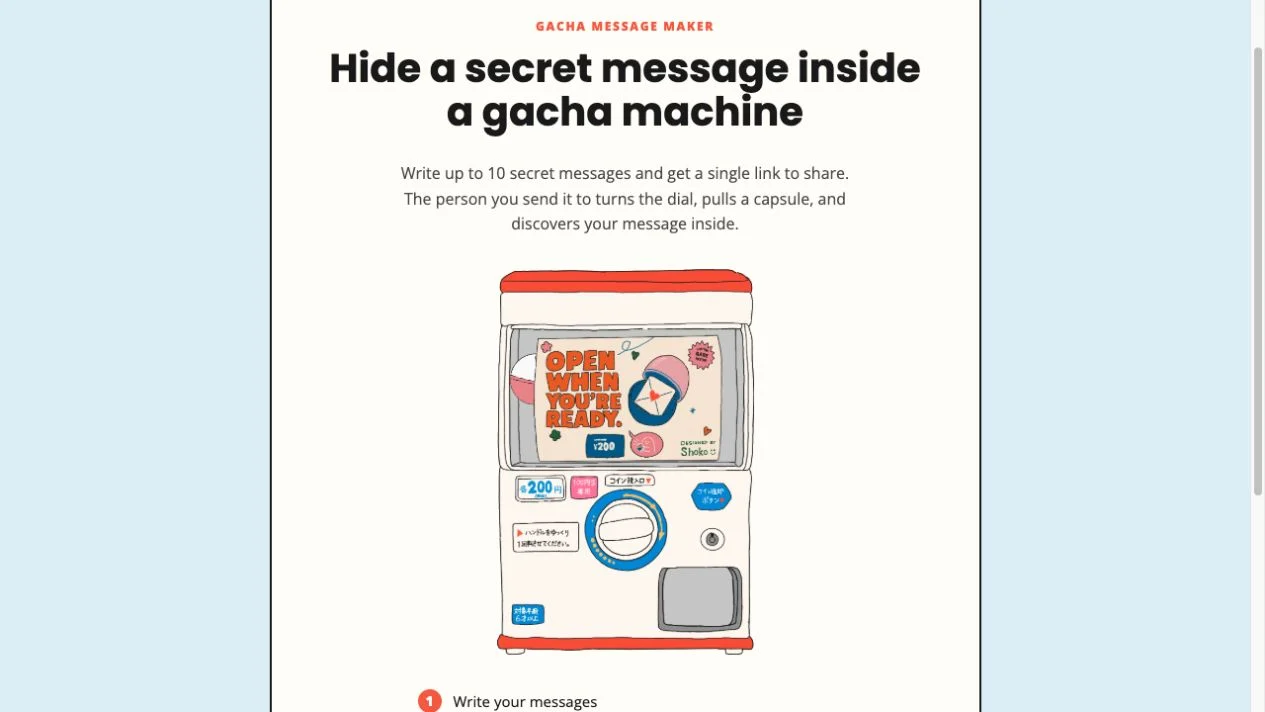
Gacha Message Vercel app is a browser-based message gift at gacha-message.vercel.app. Instead of presenting a note as a plain page, it places short messages inside an illustrated capsule machine. The recipient turns its handle and opens a capsule to discover a note. Its appeal is a small surprise: a handful of thanks, memories or encouragements that someone can reveal individually. AINavly covers it as a creative web utility and does not operate the service.
What you can do
- Up to 10 capsule messages
- 320-character counter for each message
- Custom machine title
- Turn-handle and open-capsule preview
- Copy link sharing control
How to get started
- Open gacha-message.vercel.app and choose Make your own gacha.
- Replace the sample machine title with a short greeting.
- Write each capsule as a complete thought; the editor shows a 320-character counter.
- Add more messages if needed, up to the advertised total of 10.
- Choose Preview, turn the handle, wait for a capsule, and open it.
- Return with Back to proofread. Review the current sharing behavior before using Copy link; keep your original messages separately.
Where is the Gacha Message Vercel app website?
The project in this guide is https://gacha-message.vercel.app/. Its displayed name is Gacha Message and its homepage credits @shoko.oym. The exact hostname matters when searching for a small independent app with a generic name. “Vercel app” identifies the deployment address supplied here; it does not establish a relationship with a game publisher or tell you the service’s future availability. This is a personal-message maker, not a tool for purchasing game characters or topping up a game account.
What should you write inside the capsules?
Give the machine one purpose, such as a thank-you after a trip or a collection of small reasons to celebrate someone. Then let each capsule stand alone: the person may encounter the notes in a different order from your draft. A short memory, a specific compliment and an invitation to do something together give the pulls more variety than splitting a single long sentence across several capsules. The inspected editor opened with three example messages and a title; these are placeholders to replace before sharing a real gift.
How do the 10-message and 320-character limits work?
The homepage advertises up to 10 secret messages, while each capsule in the editor displays a counter ending in /320. The current client also caps additions at 10. These are useful constraints for planning a concise gift: prepare a few complete notes rather than expecting a long document editor. Character handling can differ for combined emoji and writing systems, so use the counter shown by the application as the practical guide. We did not test every language or input method, and the interface may change after this check.
What did the message preview actually show?
We opened the editor with its three default messages, chose Preview and turned the handle. Once the capsule animation finished, an Open capsule button appeared. Opening it displayed the sample note “Another capsule, another feeling.” in a message modal, which we closed before returning to the editor. That verifies the local preview interaction we saw. We did not use Copy link or send a recipient URL, so this check should not be read as a test of delivery, cross-device access or a particular sharing app.
Is a secret message link private?
The word “secret” describes the surprise inside the capsule; it does not establish password protection or restricted access. The homepage metadata says “No account, no server — just a link,” but we did not audit that claim or all data processing. Keep the content appropriate for anyone who might receive a forwarded link. Avoid treating a decorative greeting as a confidential messaging channel, and save your original wording elsewhere if it matters to you. Link expiration, deletion and changing an already shared message remain unverified.
What if the handle or message link does not work?
First confirm the hostname and whether the problem happens on the homepage, in Preview or after following a received link. During our preview, the capsule needed time to finish its animation before Open capsule became available. Look for that next action rather than repeatedly pressing the handle. If a received link behaves differently, ask the sender for the full original URL and preserve any fragment after the hash sign. Do not reload an unfinished draft without keeping a separate copy; draft recovery and compatibility across browsers were not tested.
When is another digital gift a better fit?
Use Gacha Message when several brief reveals are the point of the gesture. Canned Letter suits a longer note presented as one illustrated object, while Bloomify puts arranging a bouquet at the center of the gift. Mixtape for You is more appropriate when selected songs carry the meaning. None of these decorative formats should replace a reliable archive for something that must remain accessible. The useful choice is the experience the recipient will enjoy, not the hosting platform.
Who it suits
People making a light personal greeting, a set of encouragements or a playful digital gift.
Before you start
Use messages you are comfortable sharing by link. We did not verify private access, revocation, retention or delivery to another device.
Common questions
What is the Gacha Message Vercel app URL?
Open https://gacha-message.vercel.app/ for the Gacha Message project covered here.
How many messages can I put in a gacha?
The homepage advertises up to 10 messages. Each capsule in the inspected editor showed a 320-character counter.
Do I need to pay or create an account?
No account or payment appeared while we opened the editor and tested its default-message preview. We did not verify every later action or a published pricing policy.
How does the recipient reveal a note?
The intended flow is to turn the handle and open the resulting capsule. We verified that interaction in Preview, where a default note appeared in a modal.
Can I edit or delete a link after sharing it?
We did not verify editing, revocation or deletion of shared links. Proofread before sharing and keep a separate copy of the original notes.
Is Gacha Message connected to a gacha game?
The inspected app is a personal-message gift maker. It does not present character pulls, game currency purchases or game-account services in the checked flow.
Sources and review scope
Checked October 18, 2026: inspected the homepage and editor with three default messages, entered Preview, turned the handle and opened a capsule displaying a default message. Returned to editing. We did not copy or send a share link, test a recipient device, test long-term availability or audit privacy. The 10-message ceiling is stated on the homepage and the 320 counter is visible in the editor.