
Canned Letter Vercel App: Make a Small Digital Keepsake
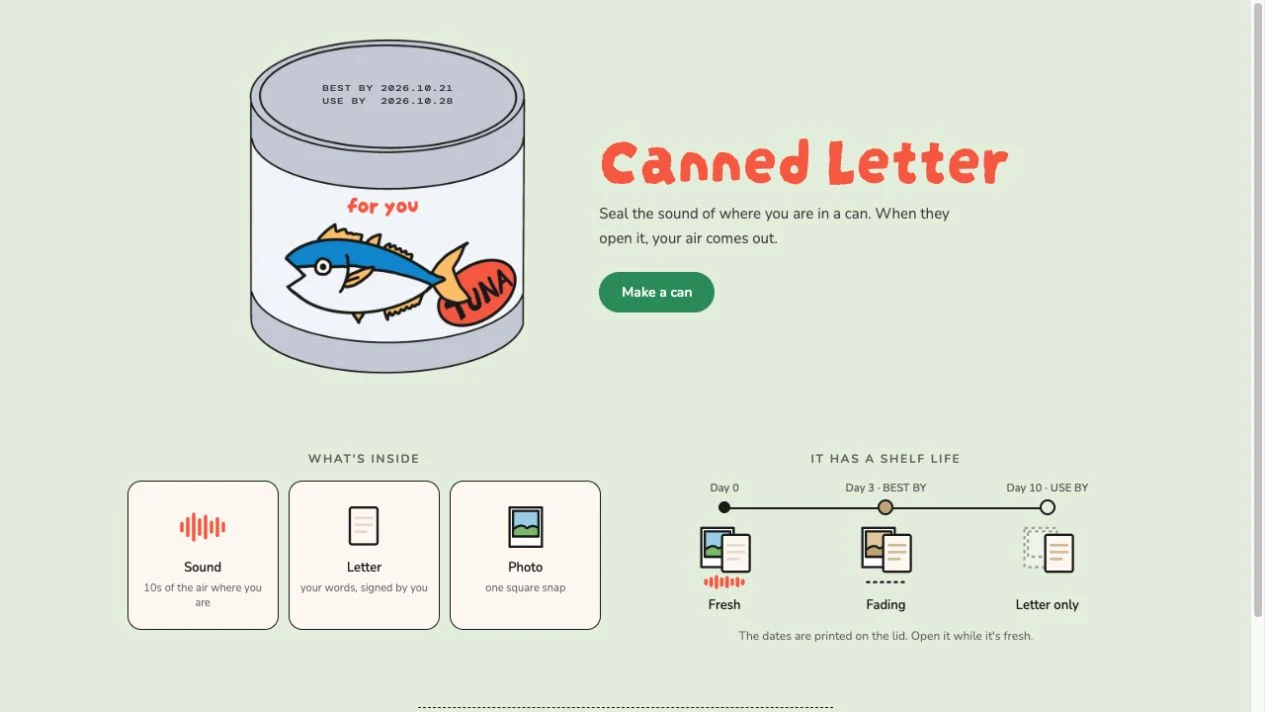
Canned Letter Vercel app is a small browser-based gift maker at canned-letter.vercel.app. It packages a personal letter, an optional short sound and a photo into an illustrated can. The recipient experience is built around opening that can, while the homepage describes a freshness timeline that changes what remains available. It suits a timely gesture more than a permanent archive.
Open Canned Letter ↗- Project website
- canned-letter.vercel.app
- Main use
- A personal letter packaged as a digital can
- Public preview access
- No account or payment encountered
- Editor limits observed
- 16-character title; 1,000-character letter
- Optional media shown
- 10-second sound; up to one photo
- Creator credit
- Homepage links to shoko.oym
- Checked
- October 18, 2026
Independent guide. AINavly does not operate Canned Letter; our check stopped at the text-only preview.
What is the Canned Letter Vercel app?
Canned Letter is the name shown by the project at canned-letter.vercel.app. This guide helps you find that exact website and decide whether its digital-can format fits the message you want to send. It is not a physical gift delivery service or a library of reusable business email replies.
The homepage credits shoko.oym and links to that creator handle. A creator credit is useful attribution, but it does not establish a company identity or a long-term service commitment. AINavly is an independent directory and does not operate the app.
What should you prepare before making a can?
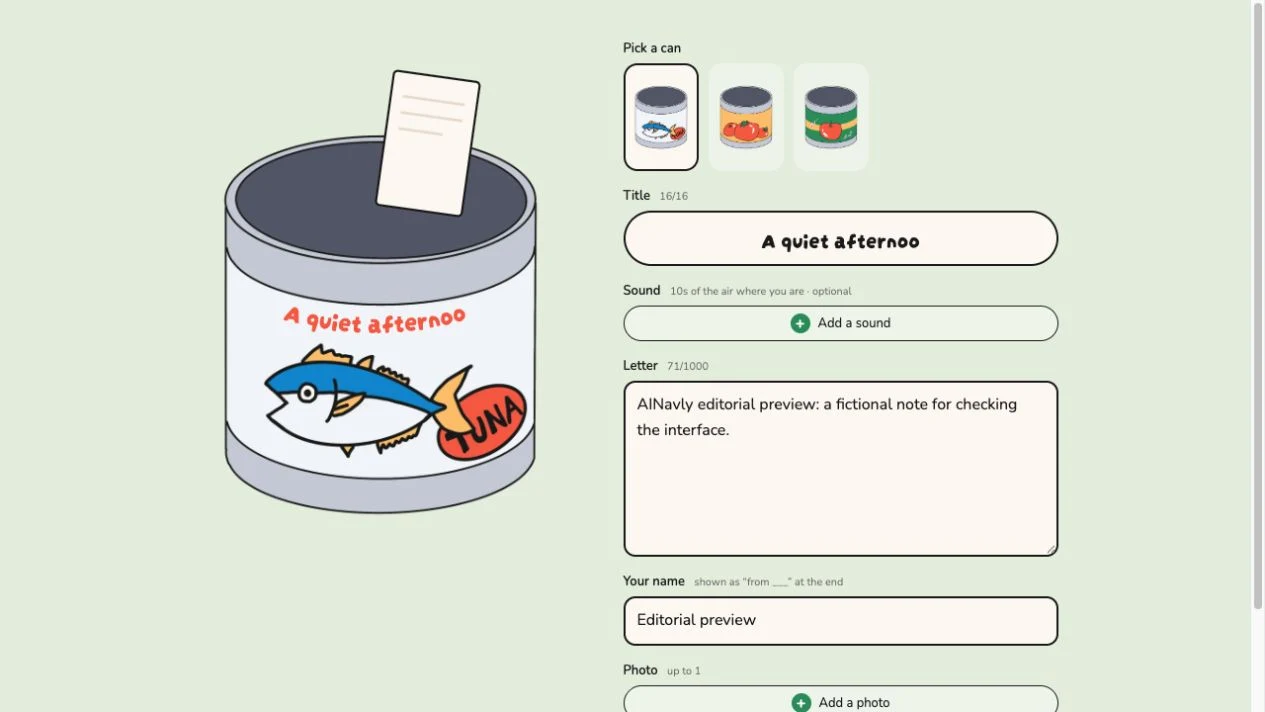
Start with one specific moment: a thank-you, a short memory or a note about the place you are in. Write a complete letter that will still make sense without a photo or sound. The inspected editor showed a 16-character title limit and a 1,000-character letter counter.
The sound control is described as an optional ten-second clip, and the photo section allows up to one image. We did not record sound or upload a photograph. Use only media you are comfortable sharing with the intended recipient, and keep an original copy elsewhere.
How to use Canned Letter
- Open the project website and select Make a can.
- Choose one of the tuna, tomato or apple can designs.
- Add a short title, your letter and the sender name shown at the end.
- If appropriate, inspect the optional sound and photo controls before adding your own media.
- Choose Preview and inspect the recipient introduction before committing.
- When ready, review the current Seal & get link action and the warning that a sealed can cannot be changed.
What did the preview test show?
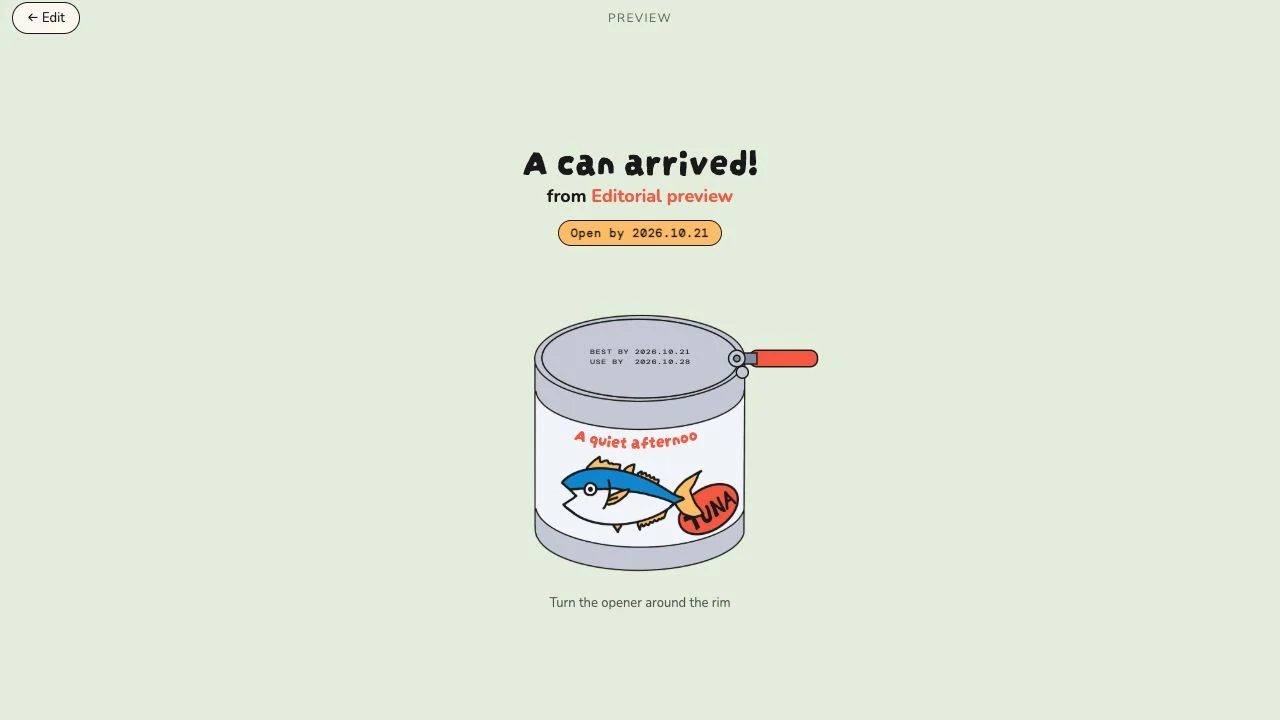
We entered fictional text and a clearly labeled editorial sender name, opened Preview and reached a recipient introduction with the sender name and a dated lid. Picking up the can led to an instruction to turn the opener around its rim.
We then returned to Edit, where the text remained available. We did not complete the opener gesture, seal a can, generate a recipient link or send anything. The preview is useful for checking presentation, but our test does not establish successful media playback or delivery.
What do BEST BY and USE BY mean?
The homepage describes three stages: fresh on day zero, a fading presentation at day three, and only the letter remaining at day ten. Its illustration associates the middle stage with a sepia photo, a changed letter appearance and no sound. These are the project’s stated behaviors; we did not wait through the timeline.
Treat the printed dates as part of the gift experience and ask the recipient to open it while fresh. Do not read “letter only” as a guarantee of indefinite hosting, a backup policy or proof that earlier media is permanently deleted from storage.
Can a sealed letter be edited, and is its link private?
The editor explicitly warns that a can cannot be changed once sealed. Proofread the message and check the sender name before creating a link. For a correction after sealing, inspect the app’s current options rather than assuming the preview editor can change an already shared item.
We did not verify link permissions, deletion, revocation or retention. Do not assume that a hard-to-guess link is private or that content aging is secure erasure. This is a better place for a light personal gesture than confidential documents or sensitive recordings.
What if Canned Letter is not working?
Check the complete canned-letter.vercel.app hostname first. If the homepage loads but the editor or preview does not, retry in a current browser and read any visible validation message. A long title may be truncated rather than displayed exactly as typed.
If media does not work, separate a file or permission issue from a page-loading problem. We did not test microphone permissions or photo formats. Preserve your draft before reloading; draft restoration and cross-device continuation were not tested.
Which gift format fits your message?
Choose this can format when the opening ritual and time-sensitive presentation add something to a short note. For a bouquet-shaped visual gift, Bloomify offers a different starting point. For a gift centered on linked songs, look at Mixtape for You.
If the message must remain available, use a channel with explicit retention and access controls and keep your own copy. A decorative web gift and a dependable personal archive solve different needs.
Frequently asked questions
What is the Canned Letter Vercel app website?
The project inspected here is https://canned-letter.vercel.app/. Its visible name is Canned Letter.
Do I have to record sound?
The editor labels the sound step optional. We reached the text preview without adding a recording.
Can I change a can after sealing it?
The editor says that once sealed, it cannot be changed. Review the current warning before generating a link.
Does the whole letter disappear after ten days?
The homepage says only the letter remains at day ten. We did not test that timeline or establish how long the remaining letter is hosted.
Is it free and do I need an account?
No login or payment appeared in our homepage, text-editing and preview check. Pricing and access after sealing were not verified.
Is Canned Letter an email template tool?
The inspected app is a personal digital-gift experience, not a business canned-response or email automation product.
Sources and check scope
Checked October 18, 2026: opened the homepage and /new editor, entered fictional text and an editorial sender name, opened Preview, picked up the can and returned to Edit. We did not complete the opener gesture, record sound, upload a photo, seal a can, generate or send a recipient link, or test the multi-day shelf-life behavior. Pricing beyond preview, privacy controls, deletion and long-term retention were not verified.