
The dapper paprenjak 9d4273 Netlify app is a Thai-language web page titled PENGUINFREE PANEL V2.1. It begins with a shared-code entry screen and reveals a small configuration-style panel after the correct code is entered. AINavly inspected both screens and the served HTML to explain the difference between operating this browser interface and changing a real device or game.
First-step password tested
penguinfreev2
The reader supplied penguinfreev2. It opened the panel in our October 20, 2026 browser check. This is a shared page-entry code, not a personal account login; future versions may change it.
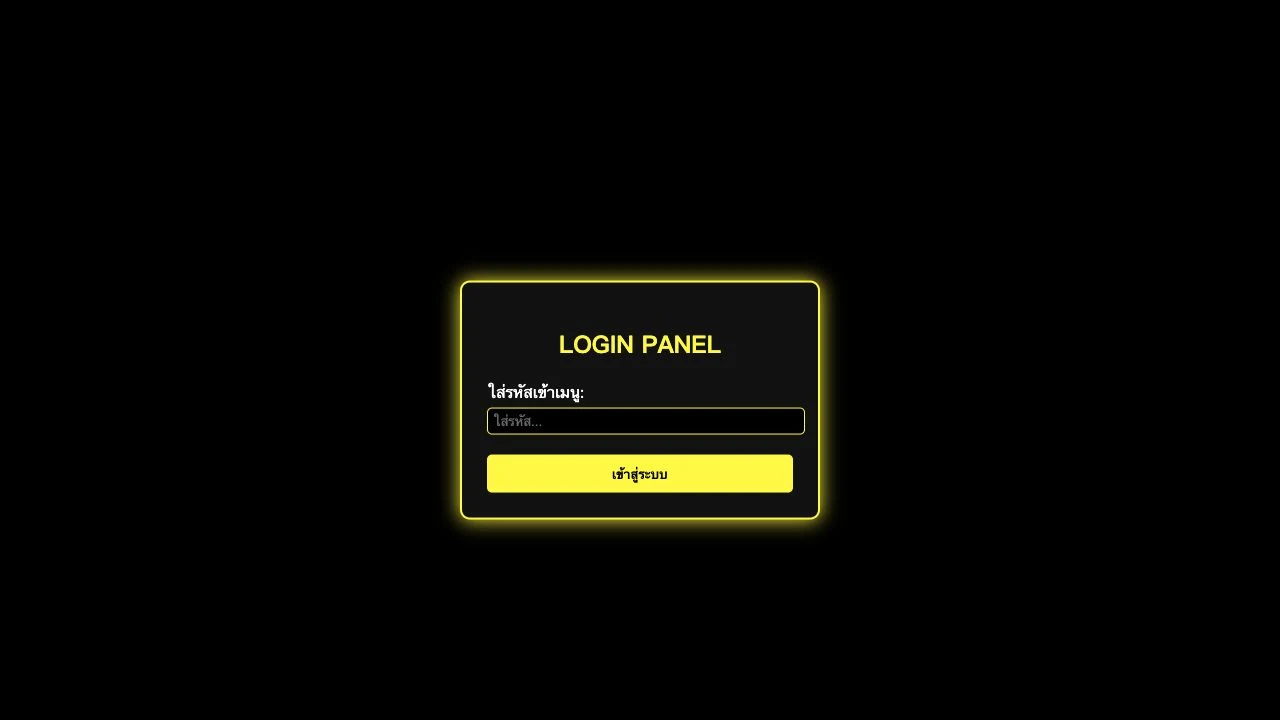
What is the site at this Netlify address?
The long hostname identifies this particular deployment; the product name visible on the page is PENGUINFREE PANEL V2.1. Its black background, yellow border and Thai labels are shown in our screenshots. We did not verify a developer identity, official game affiliation or connection to another PenguinFree website. Use the exact supplied address when comparing search results.
How to open the first panel
Enter the shared code shown above and press the Thai sign-in button, เข้าสู่ระบบ. The login panel disappears and the main form becomes visible at the same URL. We completed that step in the browser. The page performs a local code comparison and swaps the visible panels; this is not evidence of a personal account or server-verified membership.
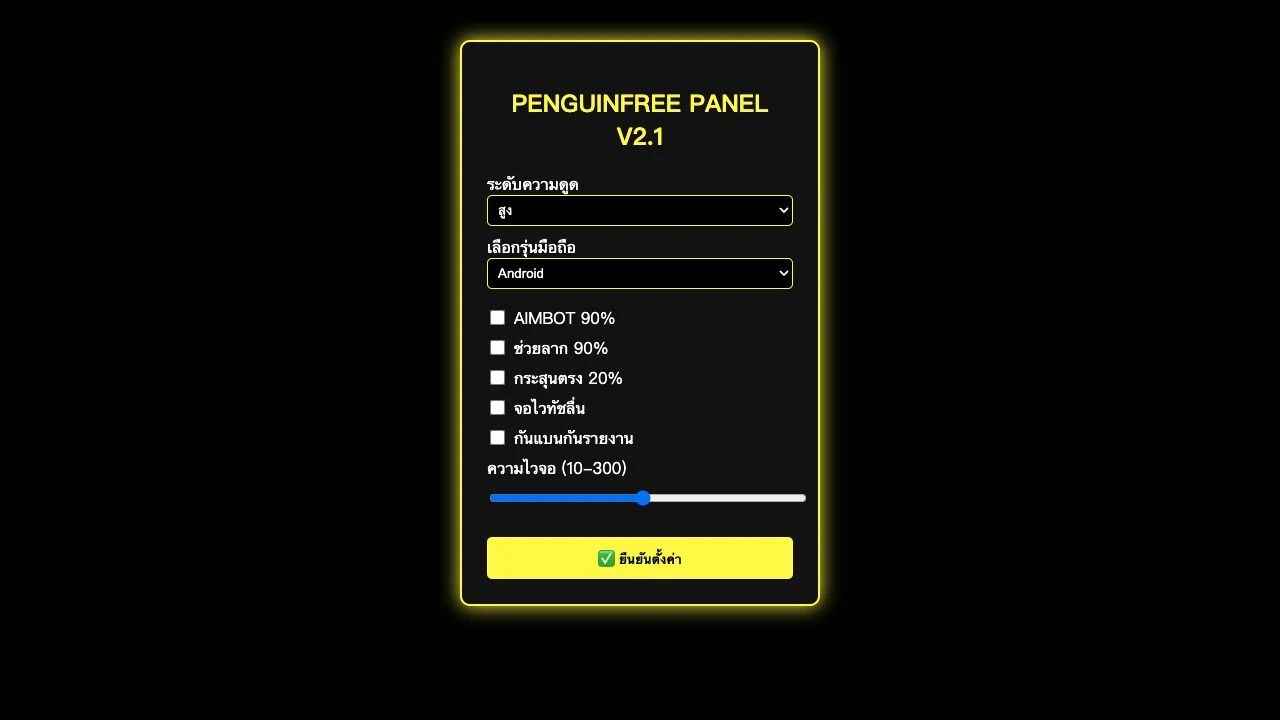
Reading the controls without assuming an effect
The first selector offers สูง, ต่ำ and ปกติ: high, low and normal. A second selector lists Android and iOS. Five checkboxes carry aim, drag-assistance, bullet, touch and anti-ban/anti-report labels. The slider is labeled 10–300 and starts at 150. These describe the form we observed, not measured accuracy percentages, device sensitivity units or demonstrated game capabilities.
What the confirm button actually does
Pressing ยืนยันตั้งค่า produced the alert ตั้งค่าสำเร็จ!, meaning settings successful. In the HTML served during our check, the button calls alert directly. We found no handler that reads the selected values and applies them to a game, phone or operating system. The alert is therefore a page response rather than verification of an external change.
Android and iOS labels do not establish native support
A device selector can be part of a web mock-up without installing anything or changing system settings. No native installer, app-store identity or game integration was established by the inspected page. This guide does not present its AIMBOT, percentage or anti-ban wording as proven functionality.
What our check covered
On October 20, 2026 we opened the entry, used the reader-provided code, viewed the panel, pressed confirmation and read its served HTML. A second fresh tab began at the entry screen again. We did not test any real game, install software or verify device changes. The screenshots record those actual entry and panel screens.
Entry walkthrough
- Open the exact dapper-paprenjak-9d4273.netlify.app address.
- Enter penguinfreev2 in the password field.
- Choose เข้าสู่ระบบ to display PENGUINFREE PANEL V2.1.
- Read the visible controls as page options, not proof of device changes.
- If you press ยืนยันตั้งค่า, expect the observed success alert; it does not establish game integration.
Who this guide helps
Readers trying to identify this Netlify page, understand the Thai menu and check what its password and confirmation steps establish.
What remains unverified
The verified result is access to a browser form and a success alert. Game effects, device compatibility and protection claims remain unverified.
Common questions
What is the first password for this page?
penguinfreev2 opened the first panel when checked on October 20, 2026. It was supplied by a reader and verified in the browser; continued validity is not guaranteed.
Does the success message prove that settings were applied?
No. The observed message was ตั้งค่าสำเร็จ!. The served HTML attaches that button to a JavaScript alert and does not read or apply the form values to a game or device.
Is this an Android APK or an iOS app?
The checked destination is a web page. Android and iOS appear as selector options; they do not establish native app support, an installer or operating-system integration.
Are the AIMBOT and anti-ban claims verified?
No. They are visible labels. We found no demonstrated game connection or evidence that they deliver the advertised effects.
Do I need a separate account?
The inspected page asks for a shared entry code, not an email or a personal account. We did not find an account-registration flow in the served page.
Source and review scope
Checked October 20, 2026: supplied entry code accepted, main panel displayed, confirmation alert observed, and delivered HTML inspected. A fresh tab showed the entry screen. No game or device changes were tested. The icon is the site’s own host-served favicon, kept unchanged.