
The tjukanovt github io query refers to Topi Tjukanov’s GitHub Pages space rather than one conventional app homepage. Its root returned 404 when checked, while /notable-people.html rendered a working interactive map. AINavly separates the author identity, repository and direct demo, then examines the map’s controls and the limits of interpreting its person labels.
Inside Tjukanovt GitHub IO’s Notable people map
Three destinations with different jobs
The GitHub account identifies the author, the tjukanovt.github.io repository exposes shared GIS work, and the direct HTML route opens Notable people. A failed root page does not establish that every project is unavailable. Our browser confirmed the 404 at the root and a rendered map at the deeper route. The primary action on this guide therefore points to the tested map.
What the repository establishes
The public website repository contains multiple map pages, scripts and resource folders. The Notable people HTML imports Mapbox GL JS and defines category and place-name controls. That supports describing a collection of browser mapping experiments rather than an AI service or a general-purpose GIS editor. We inspected the relevant file and repository inventory; we did not build or deploy a fork.
Controls and behavior tested
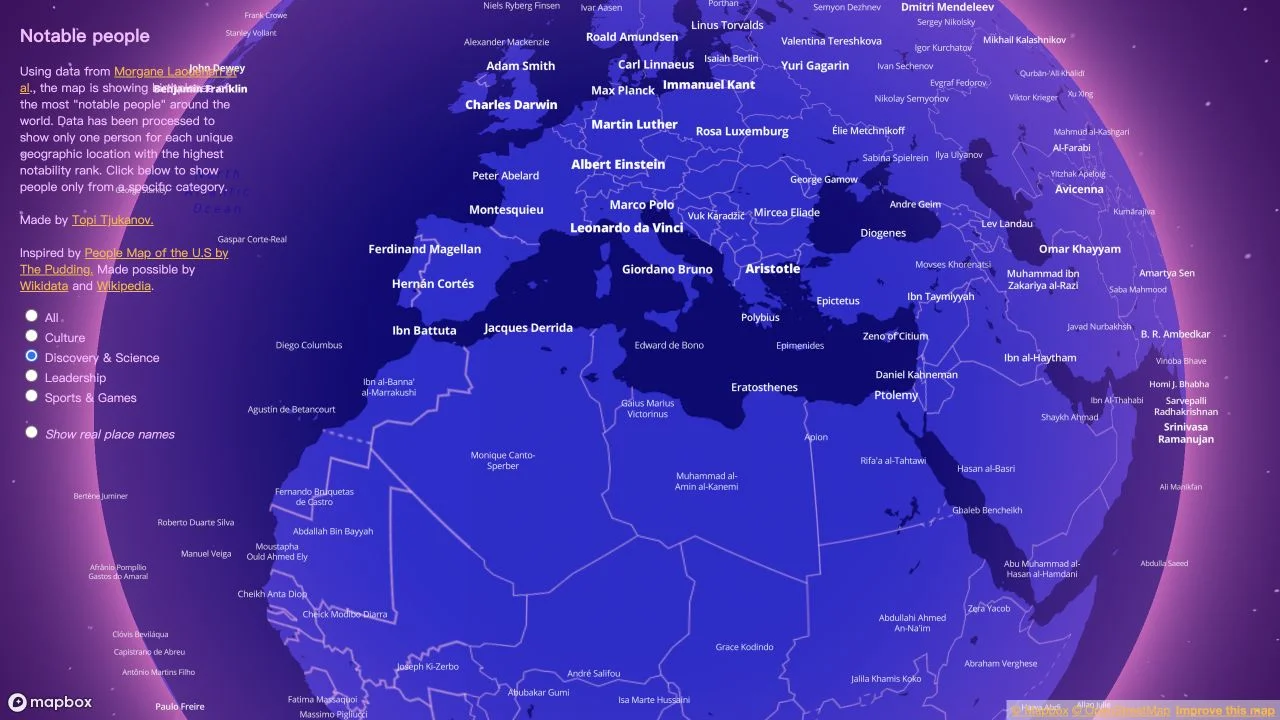
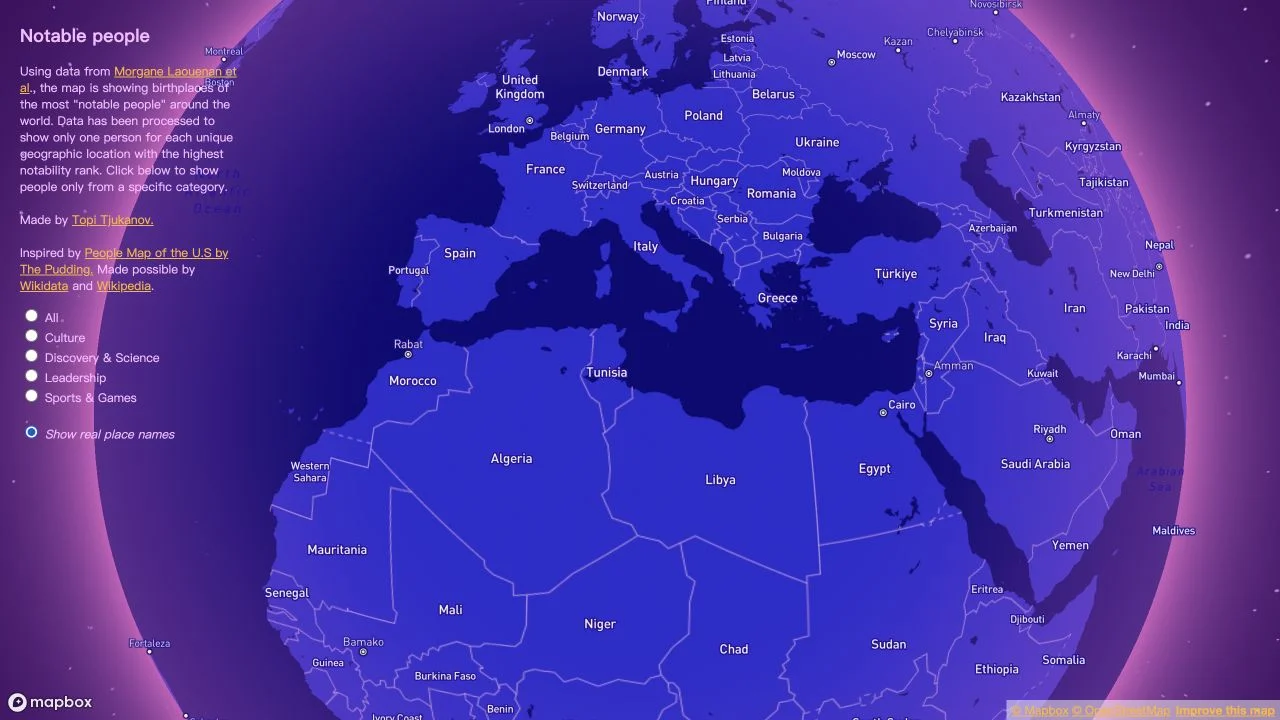
We observed a rendered globe, zoomed toward Europe and North Africa, selected Discovery & Science and then selected Show real place names. The chosen radio control changed, and the rendered labels switched between people and geographic names. The visible category list also includes All, Culture, Leadership and Sports & Games. We did not separately validate the result of every category or every location.
Interpret the labels as a selection
The map’s own explanation describes birthplace points filtered to one person per unique location according to a notability rank. It credits Morgane Laouenan and colleagues and links to their research, with acknowledgments to Wikidata and Wikipedia. That is source context for the visualization, not an independent audit by AINavly. Do not read the display as a complete list of notable residents.
A useful evaluation for map and data work
If you are studying interface design, compare how the same geographic view works with person labels and place labels. If you need data for research, follow the cited dataset and review its definitions before reusing it. The site’s legend and rendering behavior are evidence about the interface; they do not validate every source record or provide a ready-made analytical API.
Why loading and URLs matter
A base globe may appear before all labels are visible. We observed that sequence before the people labels rendered. Use the exact direct map URL and allow the scene to load, rather than repeatedly returning to the root. The repository did not show a root index.html in the inventory we inspected, which is consistent with the missing root page; we did not alter or diagnose the author’s hosting configuration.
Access, dependencies and reuse
The tested public session did not require sign-in or payment. The visualization relies on a browser map renderer and hosted resources. That does not promise perpetual availability or cover every device. A public repository also does not by itself establish a blanket license for all code, map styles and datasets. Review the terms applicable to the component you intend to reuse.
How to explore a region
- Use the author profile to identify Topi Tjukanov.
- Open the direct Notable people demo rather than the missing root homepage.
- Test zoom, category and place-name views against your task.
- Read the map’s data explanation before interpreting labels.
- Inspect the relevant repository file and source terms before reuse.
Who it suits
People evaluating interactive map examples, browser data visualization and the relationship between a GitHub profile, repository and deployed demo.
What our check establishes
This review covers the direct Notable people page and selected interactions. Other repository demos, dataset accuracy, biography details, full category coverage and self-hosting were not verified.
Tjukanovt GitHub IO FAQ
What is tjukanovt GitHub IO?
It is the GitHub Pages space associated with Topi Tjukanov’s mapping experiments. The root address and the live project pages should be distinguished; Notable people works at its direct HTML route.
Why does the root website show 404?
The root returned GitHub Pages File not found on October 20, 2026. The inspected repository inventory did not show a root index.html. We did not change the site or confirm its hosting configuration.
Where can I open the Notable people map?
Use https://tjukanovt.github.io/notable-people.html. We observed a rendered globe and labels at this direct address despite the missing root homepage.
Who created the map?
The map credits Topi Tjukanov. The supplied GitHub profile is https://github.com/tjukanovt, which links to the public tjukanovt.github.io repository.
Which filters are available?
The visible controls are All, Culture, Discovery & Science, Leadership, Sports & Games and Show real place names. We tested Discovery & Science and the real-place-name view.
What does Show real place names do?
In our test it changed the displayed labels from people’s names to geographic names, helping identify the underlying places in the same map view.
Does it show every notable person from a place?
No. The map explains that it selects one person per unique location using a notability rank. Missing names and selected labels should not be treated as a complete history or a ranking of human worth.
Is it free to browse?
The tested public map required no payment or account on October 20, 2026. Reuse of data, map styles or code is a separate licensing question.
Is this a full GIS application or an AI tool?
The inspected page is an interactive map, and the repository holds several GIS experiments. We did not establish a general GIS editing workflow, an AI service or a public analytical API.
Author, source and verification
- Notable people — live map and data explanation ↗
- Topi Tjukanov on GitHub ↗
- Website repository and map collection ↗
- Notable people HTML source ↗
- Research cited by the map ↗
Reviewed October 20, 2026. The root 404, rendered map, zoom, Discovery & Science selection and real-place-name view were observed directly. The author profile, repository inventory and relevant HTML were inspected. We did not audit the research dataset or verify individual biographies. Screenshots are actual browser captures, compressed to WebP.