
The phoshco github io search leads to a GitHub Pages entry that redirects to a character model viewer. AINavly evaluates it as a browser visualization tool: what the live interface does, how the root website differs from the application repository and which parts of the experience were tested. The public viewer identifies itself with Genshin, HSR and ZZZ model browsing; it is a separate hobby project rather than an official game client.
Inside Phoshco GitHub IO’s model viewer
Entry repository versus application source
The supplied Phoshco/Phoshco.github.io repository contains the root landing page. Its index.html has a timed redirect to https://phoshco.github.io/model-viewer/ and a manual fallback link. The live browser followed that route. The viewer’s own repository is Phoshco/model-viewer. These sources serve different purposes: one explains how visitors arrive, while the other documents the application and its build.
What the application is built to show
The viewer presents game-character models in a 3D scene with menu and playback controls. Its README describes a hobby project using Babylon.js and babylon-mmd, with TypeScript and Webpack in the build. That makes it relevant to model inspection and browser graphics exploration. It should not be evaluated as an AI generator, a cloud rendering service or a replacement for the original games.
What we verified in the interface
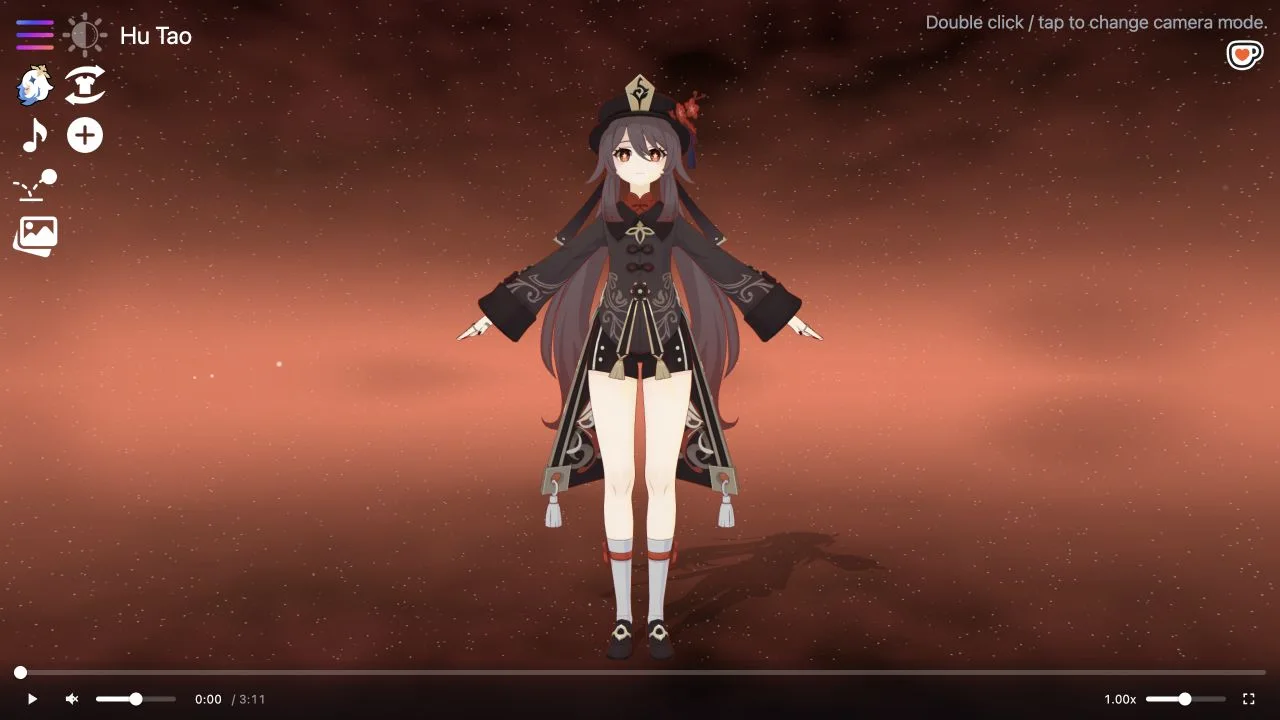
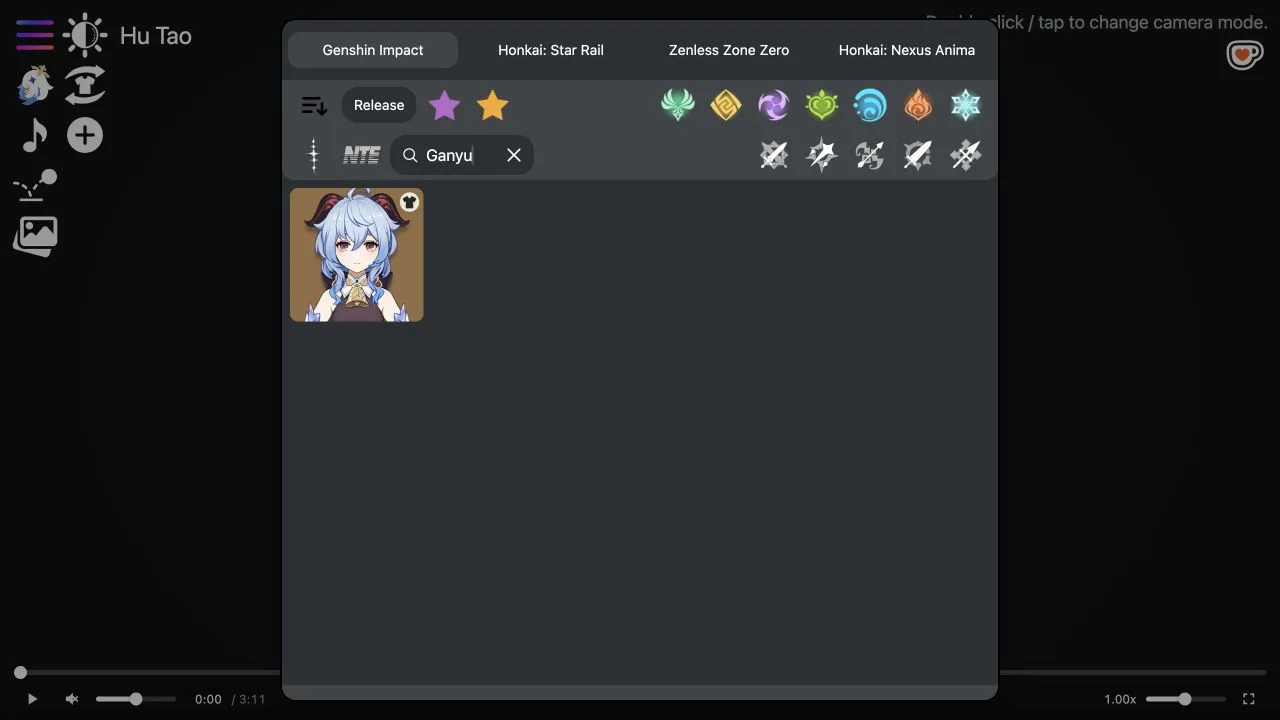
The initial scene rendered Hu Tao. We opened the character menu and entered Ganyu; the visible result was a Ganyu button. Selecting it changed the route to /model-viewer/ganyu, showed a loading state and then rendered the new character. A separate Hu Tao search returned multiple related results, so search should not be described as an exact-match-only filter.
Playback is a tested interaction; other controls have limits
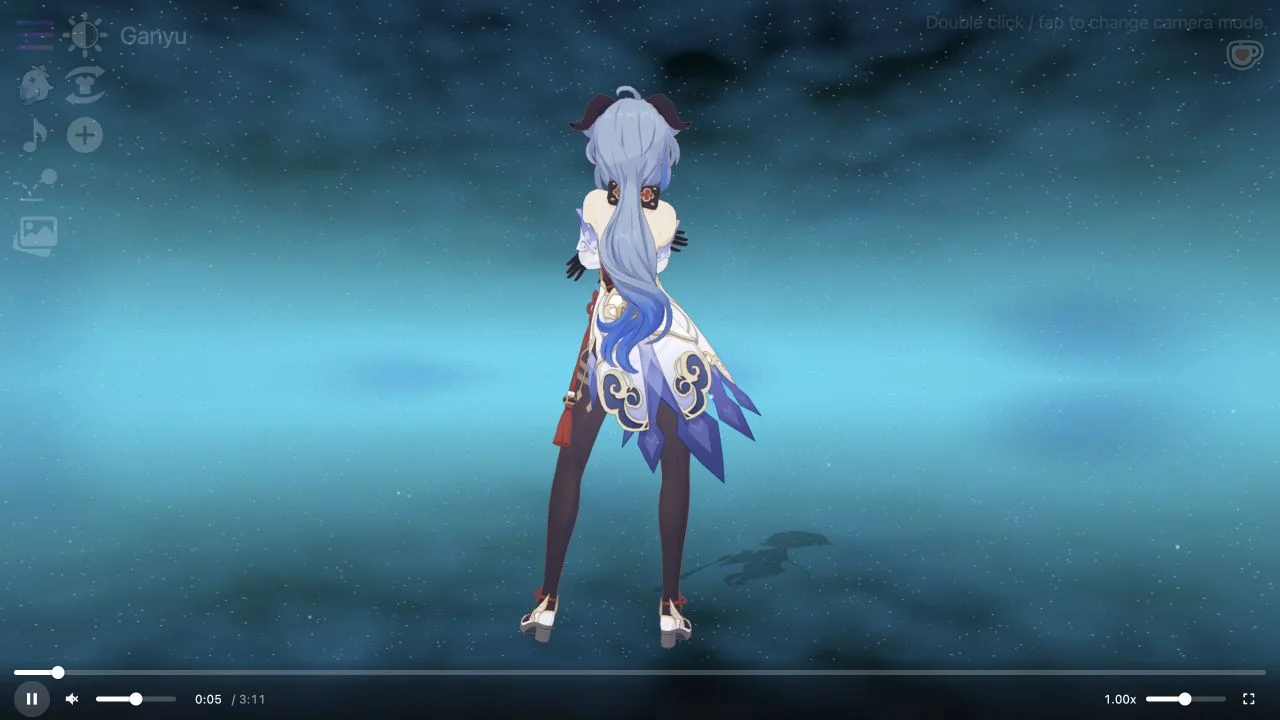
On Ganyu, pressing play changed the pose and advanced the timeline. We then paused at approximately thirteen seconds. A speed value of 1.00x and additional image controls were visible, including motion, physics, adding a second character and reference sheet labels. We did not exercise those additional workflows. Their presence in the UI is not evidence of a verified export, physics accuracy or complete multi-character support.
Routes, bookmarks and loading behavior
The README documents character-name routes beneath /model-viewer/ and relaxed name matching. In the live session, the application used /model-viewer/hu%20tao and /model-viewer/ganyu. Save the exact working route produced by the application if you want to return to a tested character. We did not validate every name alias or every bookmark after a new browser session. A route change can precede model rendering.
How to assess the tool for your workflow
For quick visual inspection, test whether the character you need loads and whether the available pose is useful. For development, inspect the viewer repository and its current build instructions before adapting code. For asset production, verify the relevant model and motion permissions separately. Our test establishes a working public viewing path, not a general asset-conversion or commercial licensing service.
Licensing and access are separate questions
The tested public session required no sign-in or payment. GitHub identifies the model-viewer application code license as MIT. The root redirect repository is a different repository, and the code license should not be extended automatically to referenced characters or bundled media. No claim of official developer endorsement or blanket asset licensing is made here.
How to find and inspect a character
- Open phoshco.github.io or go directly to /model-viewer/.
- Use the character menu to search and select a model.
- Wait for the rendered scene after the route changes.
- Test playback against your specific inspection task.
- Use the application repository for technical documentation and review asset rights separately.
Who it suits
People comparing browser visualization utilities, hobby developers and creators evaluating a character-reference workflow.
What our check establishes
The evidence covers two rendered characters, one search-to-selection workflow and short playback. Additional control labels, broad game coverage, downloads, exports, mobile behavior and all route aliases were not fully validated.
Phoshco GitHub IO FAQ
What is Phoshco GitHub IO?
It is the GitHub Pages address phoshco.github.io. The root page redirects visitors to Phoshco’s browser character model viewer at /model-viewer/.
Where is the actual model viewer?
Use https://phoshco.github.io/model-viewer/. The root entry also has a fallback link to that destination if its timed redirect does not complete.
Which GitHub repository contains the viewer?
Phoshco/Phoshco.github.io contains the root redirect page. The application is documented in the separate Phoshco/model-viewer repository. Both are linked in this guide.
Which games does the viewer mention?
The page title identifies Genshin, HSR (Honkai: Star Rail) and ZZZ (Zenless Zone Zero). Other game choices were also visible in the menu, but we did not test every game or claim complete character coverage.
How do I find a character?
Open the upper-left menu, enter a name and select the character result. Our Ganyu search showed one matching button; selecting it loaded the Ganyu scene after a brief loading state.
Can the models animate?
Yes, short playback was tested on Ganyu. The pose changed and the timeline advanced before we paused. Other motion selection and export workflows were not tested.
Is it free to use?
The tested public browsing, character search and short playback required no payment or account on October 20, 2026. This does not establish unlimited access to every possible future feature.
Does MIT licensing cover the game characters?
The application code repository is labeled MIT. Code licensing is not blanket permission to reuse game models, music, characters or motion assets; check the applicable asset rights separately.
Is this an official game or an AI model generator?
It is presented by its repository as a hobby model-viewing project. We did not establish official game-publisher endorsement, and the inspected workflow views existing character models rather than generating new ones with AI.
Official project links and verification
- Phoshco GitHub Pages entry ↗
- Live model viewer ↗
- Root entry repository: Phoshco/Phoshco.github.io ↗
- Application repository and README: Phoshco/model-viewer ↗
- Application code license ↗
Reviewed October 20, 2026. We observed the root redirect, rendered Hu Tao and Ganyu, searched for Ganyu and ran short playback. The application README was inspected; its build was not run locally. Screenshots are actual browser captures, compressed to WebP. This is an independent guide; no game-publisher endorsement is implied.