What is Stitch Typewriter?
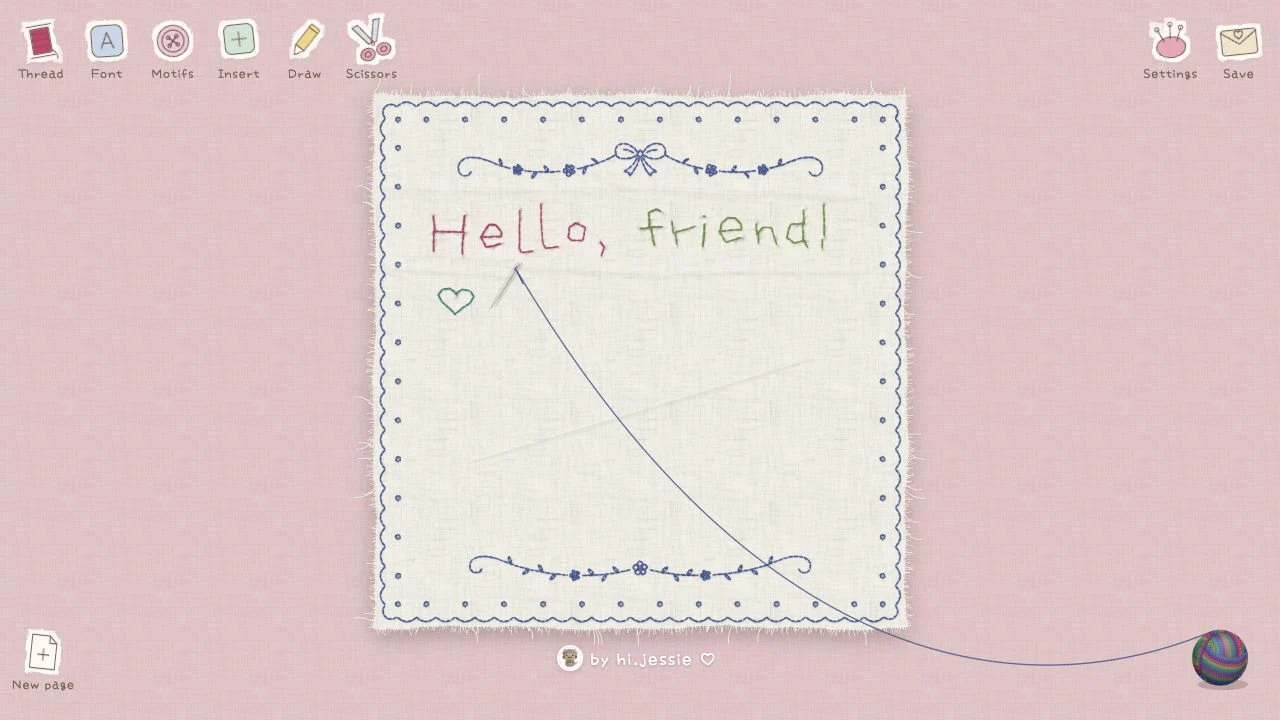
Stitch Typewriter, hosted at ilovestitching.vercel.app, is a small creative app for lettering with an embroidery-like appearance. The useful first project is a short word or phrase you can inspect closely. Treat the result as a visual composition unless the current export menu explicitly documents a machine-ready format.
What you can do
- Embroidery-style lettering
- Thread and font controls
- Motifs, drawing, and save menu
How to get started
- Enter a short phrase and inspect the available font controls.
- Adjust the thread appearance and add only necessary motifs.
- Check the actual export format before relying on it.
Start with a small readable composition
Choose a short phrase and test one font before adding motifs or decorative marks. Thread-like textures can look attractive at large size while reducing legibility when the design is smaller. Compare the preview at the size where the finished image will actually be used.
Check the destination before exporting
A digital card, a social post, and a physical embroidery workflow have different output requirements. Inspect the save menu for the actual file type and dimensions. For a broader layout, Canva offers a different starting point; for a personal visual gift, compare Bloomify.
Who it suits
People creating decorative lettering for a small visual composition.
Before you start
Embroidery-style artwork is not automatically a machine stitch file. The main-site guide does not establish export delivery or equipment compatibility.
Common questions
Can the image be sent directly to an embroidery machine?
Do not assume so. Confirm that the export format is supported by your equipment; a decorative raster image and a stitch file serve different purposes.
What should I verify before using Stitch Typewriter?
Embroidery-style artwork is not automatically a machine stitch file. The main-site guide does not establish export delivery or equipment compatibility.
Sources and review scope
This main-site guide was written on October 18, 2026 using public product information and earlier AINavly source notes. Current Chinese-language editing controls checked; export delivery not retested.