
PromptVault at gemini-prompts.vercel.app is a prompt-discovery step in an AI image workflow. It offers visual reference cards and reusable text organized by subject. This AINavly guide evaluates the handoff from finding a card to preparing an image brief: what the library helps with, what you still need to supply and which claims a prompt cannot guarantee.
Inside the Gemini Prompt Vercel App
What PromptVault contributes to an image workflow
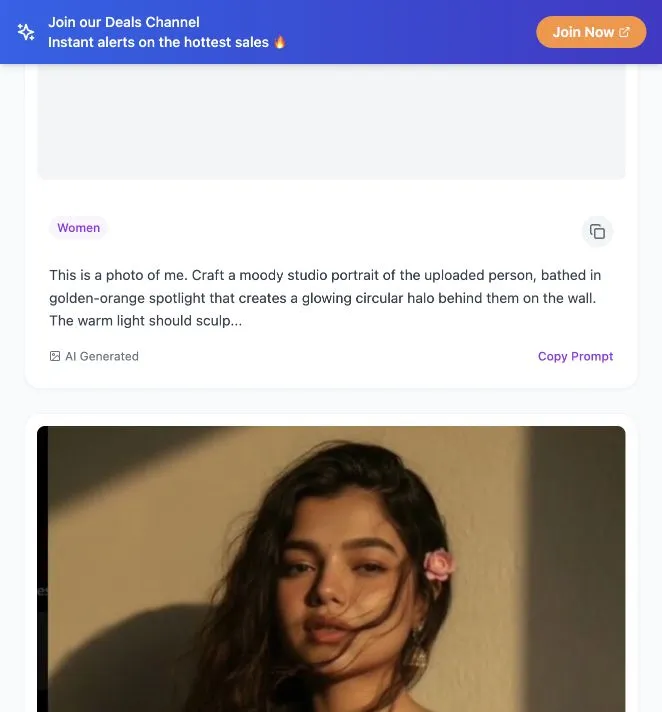
The collection makes concrete visual instructions easy to inspect: studio lighting, film texture, wardrobe, camera angle and environment appear in the visible cards. The useful output of the site is a text brief you can adapt. It is most relevant to portrait exploration rather than general research, coding or long-form writing. The library displayed 66 prompts when reviewed on October 20, 2026.
Features verified in the browser
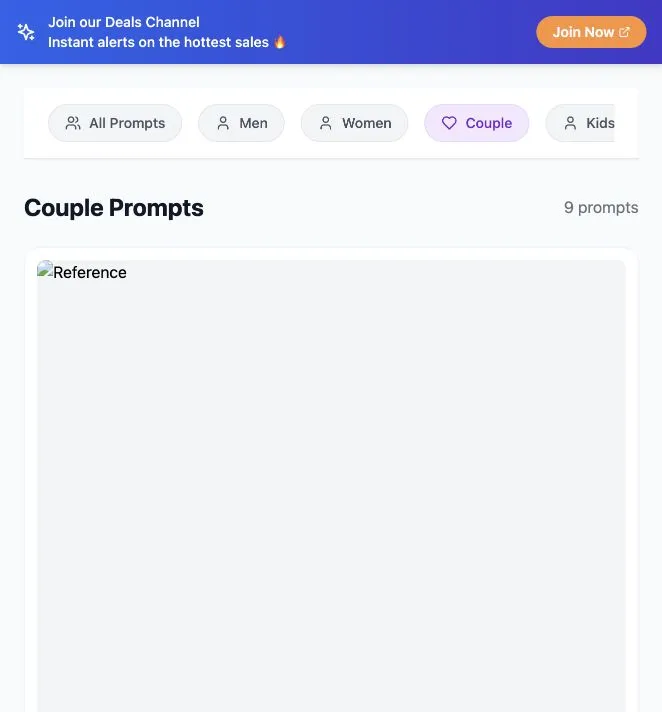
The welcome screen offered Men, Women, Couple and Kids, plus Or browse all prompts. Opening the full collection revealed reference-image cards and Copy Prompt controls. Choosing Women reduced the collection to nine entries; Couple also displayed nine. A copy click changed its label to Copied! and displayed Prompt copied to clipboard! This verifies the interface response; it does not measure image generation quality.
Separate a prompt into reusable decisions
Before pasting a card into a generator, split its instructions into subject, framing, illumination, styling and background. Retain the decisions relevant to your task. Remove contradictory pronouns or details carried over from an example. A long instruction is not automatically a better instruction: a smaller, coherent brief makes it easier to understand why a result changed.
Use a controlled comparison instead of a success claim
Keep the same reference and main brief for two attempts, changing one variable such as warm versus neutral lighting. Compare composition, distracting artifacts and whether the image meets the intended use. Record the tool and model you actually used. We did not run this generation comparison, so the screenshots here document the prompt library rather than a benchmark or reproduced sample.
Identity wording is an instruction, not a guarantee
Some visible cards request an exact face match. That wording expresses a desired result; it does not establish measured identity preservation. Check the actual output and use reference material you have permission to use. Neither the card text nor an AI Generated label demonstrates a specific model version, resolution or commercial license.
Costs and fit within a wider toolkit
Browsing and copying were available without payment or an account in our visit. Image creation happens in a separate tool whose access, usage limits and terms need to be checked there. Choose PromptVault for concrete portrait examples; choose a generation service to create the image and a design editor when the deliverable needs layout or text.
How to use this prompt library
- Select a subject category and inspect a reference card.
- Copy a prompt into a draft document.
- Break the brief into subject, framing, lighting, styling and background.
- Adapt the brief to your own task before sending it to a generator.
- Evaluate the actual image and keep a record of the model and settings used.
Who it suits
Creators comparing prompt resources and people building a repeatable AI portrait workflow.
What our check establishes
This is an editorial assessment of the public prompt library. No Google affiliation, specific Gemini model compatibility, image output quality or commercial reuse license was independently established.
Gemini Prompt Vercel App FAQ
What is Gemini Prompt Vercel App?
It is the search phrase used to find PromptVault at https://gemini-prompts.vercel.app/, a public library of image-generation prompts with reference cards and subject categories.
Is PromptVault an official Google Gemini website?
The checked website did not establish an official Google relationship. A Gemini-related hostname is not proof of ownership, endorsement or a particular model integration.
Is the prompt library free to browse?
Browsing categories and using the copy control required no payment or sign-in during our October 20, 2026 check. External image generators have their own access rules and costs.
Does this website generate images directly?
The inspected workflow supplied prompt text and reference cards. We did not find or test an image-generation submission flow in that workflow; use your chosen image tool separately.
Which categories are available?
The visible category controls were All Prompts, Men, Women, Couple and Kids. The full collection showed 66 entries, and the Women and Couple views each showed nine during our check.
How do I copy a prompt?
Open the collection, choose a card and press Copy Prompt. Our test displayed Copied! and a confirmation toast. Paste the result into an editable draft and adapt it to your own subject.
How can I compare two portrait prompts?
Keep the reference and main brief fixed, change one visual variable, and compare the actual outputs in your generator. This guide has not performed a generation benchmark.
Will a prompt preserve a face perfectly?
Some cards ask for an exact match, but a requested result is not a verified guarantee. Actual similarity depends on the tool, input and output; we did not test identity preservation.
Source and verification notes
Source: PromptVault at gemini-prompts.vercel.app ↗. Checked the welcome screen, full collection, Women and Couple filters, and copy confirmation on October 20, 2026. No personal photos were uploaded and no generation result was tested. Images on this page are compressed browser screenshots.