
What to expect
webXash is a browser launcher for Half-Life-related demos and compatible game data. It belongs in the category of browser ports with setup requirements, rather than games that always start immediately from a link. The first decision is whether you want a supplied demo route or to work with files you already own.
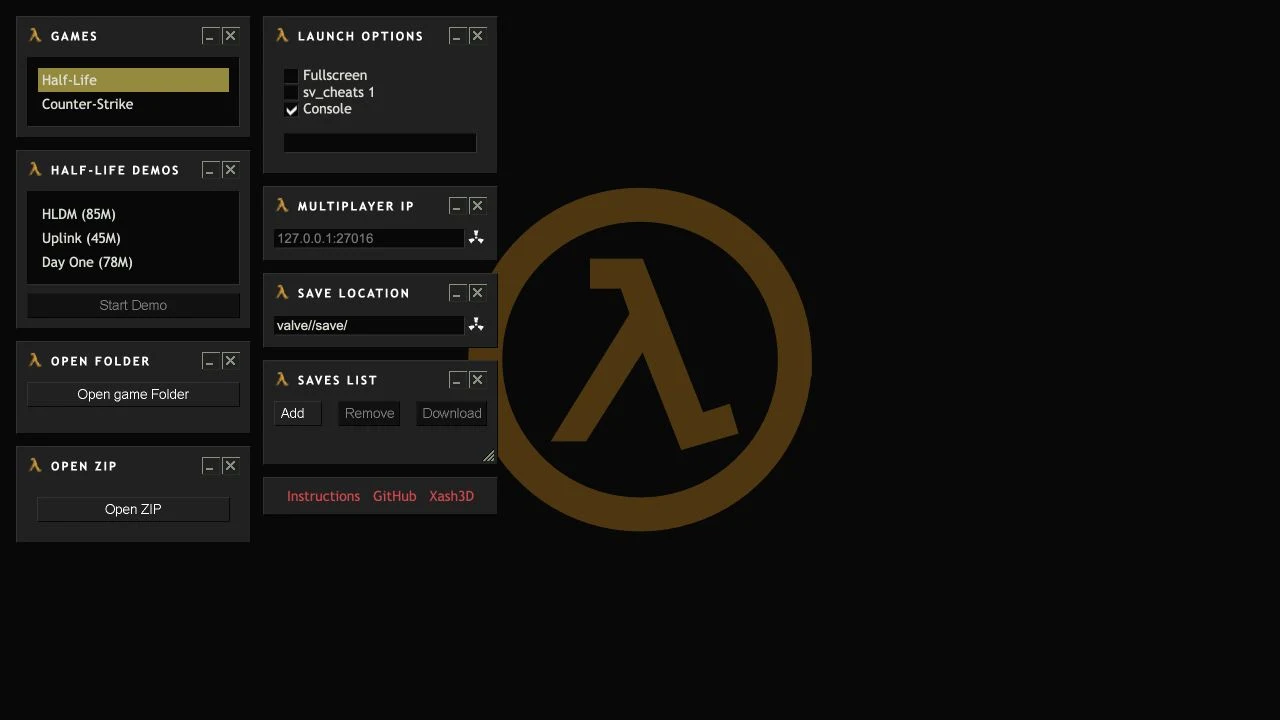
Game and setup options
- Half-Life demo selection
- Folder and ZIP import
- Save-file controls
Getting started
- Read the creator’s launcher instructions.
- Choose a demo or prepare compatible files you own.
- Check controls and save handling before a longer session.
Choose the shortest legitimate route to a first session
Read the launcher and repository instructions before importing anything. A demo can help you learn the controls and browser requirements without preparing a full installation. If you use your own data, match the expected folder or archive format; AINavly does not provide game archives.
Treat saves as a separate setup task
A browser can retain data differently across profiles, devices, and private sessions. Before investing time in a campaign, check the launcher’s save controls and keep an independent backup where supported. For another browser-port setup example, compare the Vice City WASM entry, which has its own file and compatibility requirements.
Who it suits
Players interested in browser ports and comfortable checking game-file requirements.
Before you play
Use only game files you have the right to use. Earlier notes cover the launcher and documentation, not a completed game or a fresh performance test.
Common questions
Do I need a full game installation to inspect webXash?
The launcher presents demo choices as well as import options. Check the current creator instructions to see which route fits the session you want.
What should I verify before using webXash?
Use only game files you have the right to use. Earlier notes cover the launcher and documentation, not a completed game or a fresh performance test.
Sources and review scope
This main-site guide was written on October 18, 2026 using public product information and earlier AINavly source notes. Launcher interface and creator documentation checked; no full playthrough.