
DRIVING & SIMULATION · GAMEPLAY AND ACCESS

Hey Auto Vercel App: Kochi Driving Game & Controls
Hey Auto — ഹേ ഓട്ടോ is a browser driving game about an auto driver’s day in Kochi, Kerala. For the hey auto vercel app search, AINavly separates three questions: where the game currently runs, how its passenger-driving loop works and which controls have actually been tested. The requested Vercel entry had broken resources; a creator-linked Cloudflare deployment was playable.
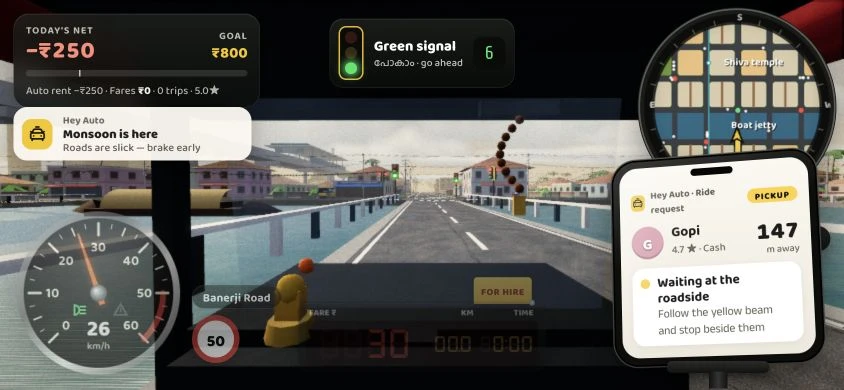
What kind of driving game is Hey Auto?
Hey Auto combines driving with a passenger-service loop. The game’s dashboard tracks net earnings, a goal, fares, trips and a star value, while a phone-style panel introduces pickup requests. A useful first evaluation is whether you can read those signals while navigating, rather than assuming it is a pure racing game.
Two addresses, with different observed results
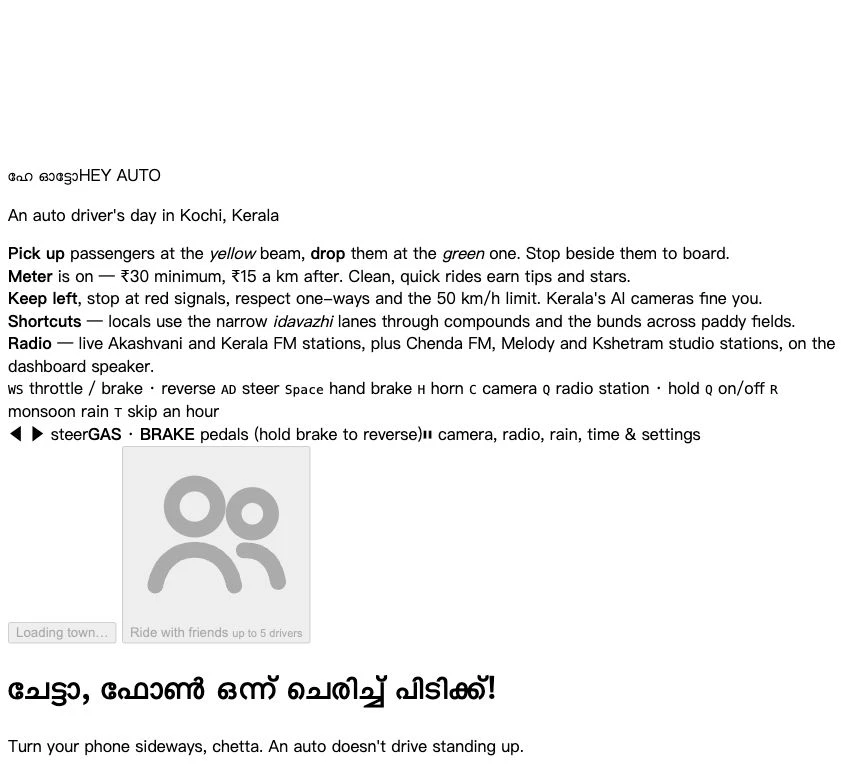
The requested destination is hey-auto.vercel.app. On October 26, its HTML opened, but the referenced JavaScript and CSS returned 404. The unstyled entry stayed at Loading town. That observation does not mean the game is unavailable everywhere.
The game’s own follow link leads to @lukhman.designs on Instagram, whose profile publishes hey-auto.pages.dev/heyauto/. We opened that address, reached Start shift and entered the town. The two endpoints are documented separately; no automatic redirect from Vercel was observed.
Passenger driving rather than a lap race
The instructions describe collecting a passenger at a yellow beam, stopping to board and heading toward a green drop-off. The published meter rules mention a minimum fare and a per-kilometre rate, while the HUD separates auto rent, fares and net earnings.
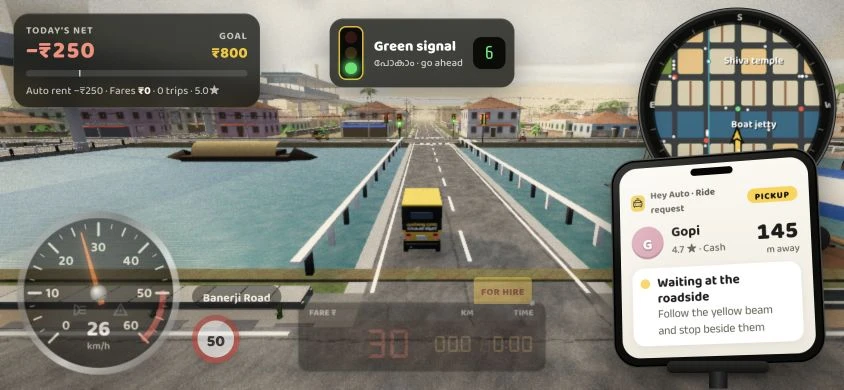
The working build showed a pickup request with a passenger name and distance. We accelerated, changed the camera and saw the driving scene update, but did not complete a pickup/drop-off sequence. Fare accuracy, tips and ratings therefore remain described mechanics rather than verified results.
What controls are available?
The mobile interface includes steering arrows and GAS/BRAKE pedals, with more functions in pause. Keyboard help lists W/S for throttle, brake and reverse; A/D for steering; Space for hand brake; H for horn; and C for camera. The page also lists gamepad mappings, which we did not test.
A phone-rotation notice requests landscape orientation. Our check used an 844 × 390 viewport and keyboard input, so it is evidence for a running landscape scene, not a physical-device compatibility review.
Verified scene controls and interface feedback
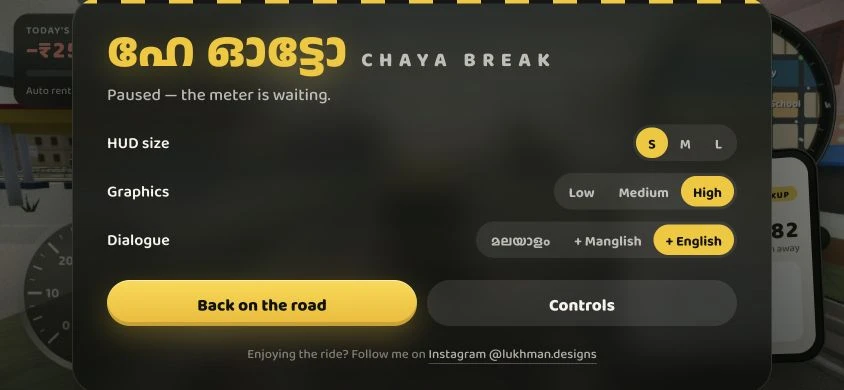
Start shift opened the in-game HUD and road scene. W produced movement and a speedometer response, while C changed the camera. Pausing displayed the Chaya break panel, where selecting S adjusted the HUD size.
R enabled the monsoon state and produced an on-screen warning about slick roads. The radio displayed a station and a live status, but audio playback was not independently verified. These tests cover a short single-player session rather than every simulation system.
How to start your first Hey Auto session
- Use the creator-linked Cloudflare deployment if the Vercel town does not load.
- Wait for Start shift, then enter the single-player scene.
- Identify the earnings HUD, minimap, speedometer and passenger panel.
- Test movement and braking before accepting a longer navigation task.
- Use pause to choose a readable HUD size; try camera or weather controls separately.
- Evaluate friend-room features only after confirming the single-player game works.
Hey Auto mobile and keyboard controls
The table summarizes the app’s published help. Keyboard acceleration, camera and rain were tested; touch and gamepad input were not.
| Input or feature | Published control |
|---|---|
| Mobile steering | Left / right buttons shown in the published interface |
| Mobile pedals | GAS to accelerate; BRAKE to brake and reverse |
| Mobile pause | Camera, radio, rain, time and settings |
| Keyboard driving | W / S: throttle, brake and reverse; A / D: steer |
| Keyboard actions | Space: hand brake; H: horn; C: camera |
| Weather and pause | R: monsoon rain; P or Esc: pause |
Real screenshots: running game and Vercel loading state
The running-scene captures below are from the creator-linked Cloudflare deployment, not the broken Vercel resource path. No gameplay images were generated.
See the Vercel loading-failure reference
Hey Auto Vercel app FAQ
Is Hey Auto a taxi-booking app?
The inspected page presents an auto-rickshaw driving game. Its fares, passenger requests and earnings HUD are game mechanics, not a real ride-booking service.
What is the working Hey Auto play link?
The game-linked creator profile publishes https://hey-auto.pages.dev/heyauto/. Our single-player browser check succeeded there on October 26, 2026.
Why include the Vercel address if another deployment works?
The Vercel hostname matches the requested search phrase. Identifying its current resource-loading failure and a creator-linked alternative helps readers reach the intended game without confusing the two endpoint states.
What was actually tested?
Start shift, keyboard acceleration, camera changes, pause, HUD size S and monsoon rain. We also observed a passenger request. Completed fares and multiplayer were not verified.
Does the game require mobile hardware?
The interface describes both touch and keyboard controls. Our running test used a landscape browser viewport with a keyboard, not a physical phone.
Are the rupee values real payments?
They appear as part of the game’s meter and earnings interface. We did not encounter or verify a real-money payout or booking workflow.
Can five people really drive together?
The interface advertises up to five drivers and a stand-code workflow. No multi-user session was tested, so that capacity is a published feature rather than a verified performance result.
Sources & review scope
Checked October 26, 2026: the Vercel page and its resource URLs; the game-linked Instagram profile and its published play address; the working Cloudflare title screen; Start shift; acceleration with W; changing camera with C; pause; HUD size S; and monsoon rain with R. Gameplay screenshots were captured from the creator-linked Cloudflare deployment at an 844 × 390 landscape viewport. This was a browser viewport test, not a physical-phone or touch-device test. We did not complete a passenger trip, verify fares and fines end to end, join a multiplayer room, grant microphone access, send chat or verify radio audio playback.
- Requested Vercel entry: title, instructions and declared game assets ↗
- Working creator-linked Hey Auto deployment ↗
- @lukhman.designs: profile linked by the game and its published play address ↗
The rickshaw favicon is copied from the app’s own inline SVG without redrawing it. Gameplay observations are separate from the published fare, traffic-rule and multiplayer descriptions.
Friends, chat and microphone features
Ride with friends advertises up to five drivers. The published Auto stand interface includes creating a code, joining with a code and sharing a link. It also describes nearby text chat and hold-to-talk features.
We did not create a stand, invite anyone, send a message or grant microphone permission. The existence of those controls is not proof of stable multiplayer, voice quality or privacy guarantees. Single-player access did not require completing that room workflow.